Quick Start
First time? Start with Installation to add
django-sysconfigto your project, run migrations, and wire up the admin URL. Come back here once that's done.
Define your config schema
Create a sysconfig.py file inside any installed Django app:
python
# myapp/sysconfig.py
from django_sysconfig.registry import register_config, Section, Field
from django_sysconfig.frontend_models import BooleanFrontendModel, StringFrontendModel, IntegerFrontendModel
from django_sysconfig.validators import NotEmptyValidator, RangeValidator

@register_config("myapp")
class MyAppConfig:
    class General(Section):
        label = "General Settings"

        site_name = Field(
            StringFrontendModel,
            label="Site Name",
            default="My App",
            validators=[NotEmptyValidator()],
        )

        maintenance_mode = Field(
            BooleanFrontendModel,
            label="Maintenance Mode",
            default=False,
        )

        max_items = Field(
            IntegerFrontendModel,
            label="Max Items Per User",
            default=100,
            validators=[RangeValidator(min_value=1, max_value=10_000)],
        )
Django autodiscovers this file on startup — no registration needed beyond the decorator.
Read values in your code
python
from django_sysconfig.accessor import config

site_name   = config.get("myapp.general.site_name")        # str  → "My App"
maintenance = config.get("myapp.general.maintenance_mode") # bool → False
max_items   = config.get("myapp.general.max_items")        # int  → 100
Values are typed — max_items is always an int, not "100". Caching is automatic.
Edit values in the admin UI
Start your dev server and visit /admin/config/. Log in with any staff account.
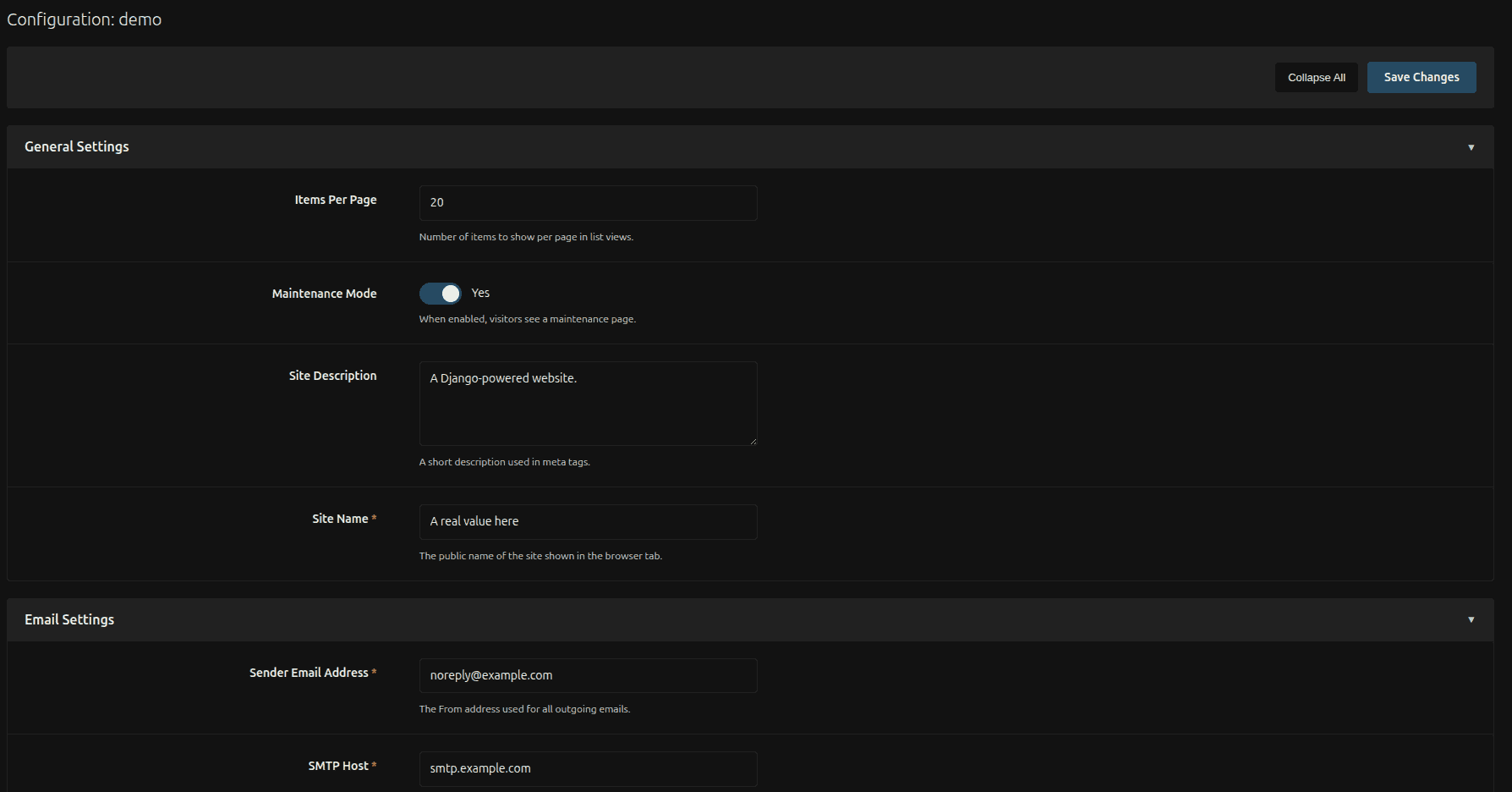
You'll see your app listed with all its sections and fields, pre-populated with defaults. Change a value and hit Save — it takes effect immediately, no redeploy needed.
Tip
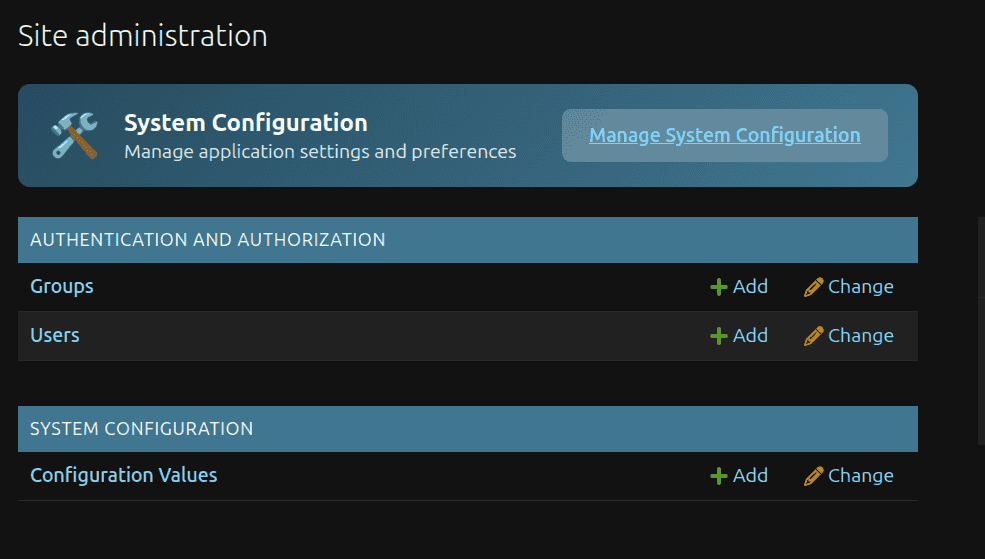
The Django admin index page has a System Configuration button at the top that links here directly.
You're done
From here, explore:
- Getting Started — a real-world walkthrough with multiple apps and field types
- Defining Configuration — all field options, section options, and design tips
- Reading & Writing Values —
set,set_many,section,all, and more